Canva vs Adobe Express 2026: 10 Best Design Tool Features for USA Users
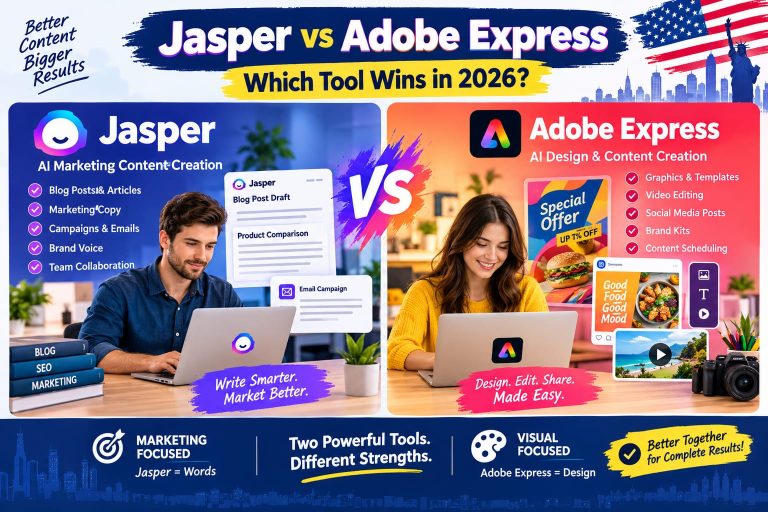
Canva vs Adobe Express 2026 is one of the most searched comparisons among designers, marketers, small businesses, and content creators in the USA. Both tools are powerful, cloud-based design platforms that help users create social media posts, ads, presentations, logos, and marketing content without advanced design skills.
In this detailed guide, we compare Canva vs Adobe Express based on features, pricing, usability, AI tools, and performance so you can choose the best design tool in 2026.
🔥 Why Canva vs Adobe Express Matters in 2026 (USA Market)
The USA digital marketing industry is growing rapidly, and businesses need fast, affordable design tools. Both Canva and Adobe Express offer:
- Drag-and-drop design editor
- AI-powered content creation
- Social media templates (1000+ options)
- Branding kits for businesses
- Cloud-based access anywhere
However, each tool has unique strengths that make them suitable for different users.
⚡ Canva vs Adobe Express: Quick Overview
| Feature | Canva | Adobe Express |
|---|---|---|
| Ease of Use | Very Beginner Friendly | Easy but slightly advanced |
| Templates | 100,000+ | 50,000+ |
| AI Features | Strong (Magic Design) | Very Strong (Adobe Firefly AI) |
| Free Plan | Yes | Yes |
| Best For | Beginners & marketers | Professional creatives |
🚀 10 Best Features: Canva vs Adobe Express 2026
1. Drag-and-Drop Design Interface
Canva offers one of the simplest interfaces in the world. Adobe Express is also easy but slightly more advanced for creative users.
2. AI Design Tools (2026 Update)
Adobe Express uses Adobe Firefly AI for advanced image generation, while Canva provides Magic Design and Magic Write for quick content creation.
3. Template Library (100,000+ Designs)
Canva leads with a massive library of templates for social media, business cards, flyers, and presentations. Adobe Express offers fewer templates but higher-quality professional layouts.
4. Social Media Content Creation
Both tools are excellent for Instagram, Facebook, YouTube thumbnails, and TikTok posts. Canva is more beginner-friendly, while Adobe Express is more brand-focused.
5. Branding & Business Kit
Canva allows users to create brand kits with logos, fonts, and colors. Adobe Express integrates deeply with Adobe Creative Cloud branding tools.
6. Video Editing Features
Canva provides simple video editing tools. Adobe Express offers smoother transitions and better motion graphics for professional use.
7. Stock Photos & Media Library
Both platforms include millions of stock photos, videos, and icons. Canva has a slightly larger free library.
8. Collaboration Tools
Teams can collaborate in real-time on both platforms. Canva is widely used in USA businesses for team marketing projects.
9. Export & File Formats
Canva supports PDF, PNG, JPG, MP4 exports. Adobe Express supports similar formats with better Adobe ecosystem integration.
10. Pricing & Free Plan
Both tools offer free plans, but Canva Pro is more affordable for individuals, while Adobe Express is better for users already in Adobe ecosystem.
💰 Pricing Comparison (USA Users 2026)
- Canva Free: Basic templates and design tools –
- Official Canva Website
- Canva Pro: Advanced templates, AI tools, branding kits
- Adobe Express Free: Limited templates + Adobe AI tools –
- Official Adobe Express Website
- Adobe Express Premium: Full creative access + Firefly AI
Verdict: Canva is more budget-friendly, while Adobe Express is premium-focused.
📊 Canva vs Adobe Express: Pros and Cons
✔ Canva Pros
- Easy for beginners
- Huge template library
- Affordable pricing
- Great for social media marketing
❌ Canva Cons
- Limited advanced editing
- Some features locked behind Pro plan
✔ Adobe Express Pros
- Advanced AI tools (Firefly)
- Professional design quality
- Strong Adobe ecosystem integration
❌ Adobe Express Cons
- Fewer templates than Canva
- Learning curve for beginners
📢 Best Use Cases for USA Users
If you are in the USA market, your choice depends on your needs:
- Small Business Owners: Canva is best for quick marketing content
- Freelancers: Canva Pro offers better value
- Professional Designers: Adobe Express is more powerful
- Social Media Managers: Canva is the top choice
🏆 Final Verdict: Canva vs Adobe Express 2026
Both Canva and Adobe Express are excellent design tools, but the winner depends on your needs:
- 🥇 Best for beginners & marketers: Canva
- 🥇 Best for professionals & AI design: Adobe Express
If you want simplicity and speed, choose Canva. If you want advanced AI and professional design quality, choose Adobe Express.
🔗 Useful Resources
📌 Conclusion
The Canva vs Adobe Express 2026 debate will continue as both tools evolve with AI and automation. For USA users, Canva remains the most popular choice, while Adobe Express is growing rapidly in the professional design space.
Choosing the right tool depends on your goals, budget, and design experience level.