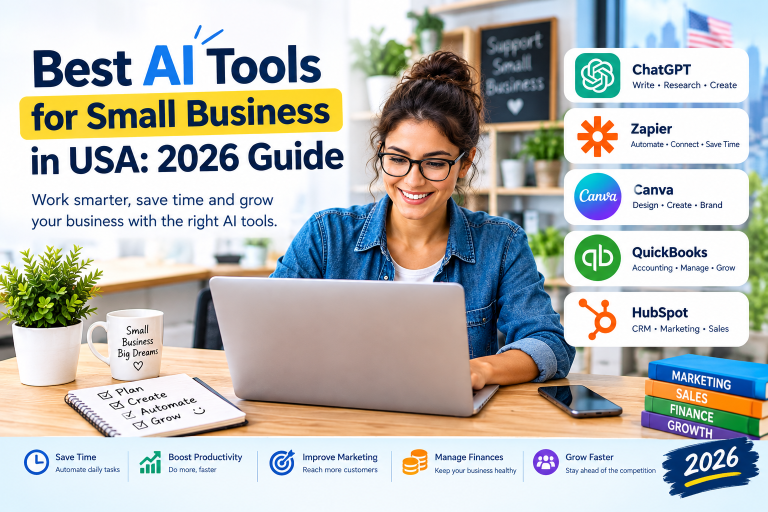
Creative design tools help businesses, creators, students, and marketers turn ideas into professional visuals. Creative design tools make it easier to create social media posts, business logos, presentations, advertisements, and website graphics without hiring a professional designer for every project. In 2026, choosing the right design software can save time, reduce costs, and improve the quality of your content.
Imagine you own a small business in the United States. You need an Instagram advertisement, a product banner, and a presentation for a client. Creating everything manually can take hours. The right design platform can help you finish these tasks faster with templates, artificial intelligence (AI), and easy editing features.
Not every design tool offers the same benefits. Some are ideal for beginners, while others provide advanced features for professional designers. Canva is popular for quick graphics, Adobe Express supports creative content production, and Figma is useful for collaborative interface design AI Software Subscriptions: Best Tools for 2026.
This guide compares the best creative design tools for 2026. You will learn about their features, advantages, disadvantages, performance, and pricing so you can choose the right option for your needs.
What Are Creative Design Tools?
Creative design tools are software applications that help users produce and edit visual content. They may include graphic design software, photo editors, presentation makers, illustration programs, and collaborative design platforms.
Many modern tools include AI features that generate images, remove backgrounds, suggest layouts, or help users edit existing designs. These features are useful for small businesses, freelancers, marketing teams, educators, and content creators.
Common uses include:
- Social media marketing: Design Instagram posts, Facebook advertisements, and Pinterest graphics.
- Brand identity: Create logos, brand kits, business cards, and promotional materials.
- Website design: Develop interface layouts, prototypes, and website graphics.
- Presentations: Build professional slides for meetings and sales pitches.
- E-commerce: Create product images, promotional banners, and online store graphics.
- Content creation: Produce YouTube thumbnails, blog images, and digital advertisements.
The best creative design tool depends on your budget, experience, and project requirements.
Best Creative Design Tools in 2026
1. Canva — Best for Beginners and Small Businesses
Canva is a beginner-friendly design platform for creating marketing graphics, presentations, posters, and social media content. Its templates and drag-and-drop editor make it accessible to people without professional design experience.
Key features:
- Thousands of templates for different content formats.
- Brand tools for maintaining consistent colors and fonts.
- AI-assisted content creation and image editing.
- Collaboration features for teams.
- Export options for digital and print projects.
Real-world example: A local bakery in Texas can use Canva to create weekly menu graphics, holiday promotions, and Instagram Stories without employing a full-time designer.
Canva is a strong choice for small businesses and beginners who need attractive designs quickly. Some premium assets and advanced features require a paid subscription.
Explore the official platform: https://www.canva.com/
2. Adobe Express — Best for Quick Marketing Content
Adobe Express helps users create social media posts, flyers, short videos, promotional graphics, and other branded content. It combines ready-made templates with editing tools and AI-assisted creative features.
Key features:
- Templates for marketing and social media.
- Quick photo and video editing.
- Brand asset management.
- AI-assisted creative workflows.
- Integration with selected Adobe services.
Real-world example: A real estate agent in Florida can create property promotion graphics, open-house flyers, and short social media videos for new listings.
Adobe Express is useful for marketers who want accessible design features within Adobe’s creative ecosystem. Users who need advanced photo manipulation or detailed illustration may prefer more specialized software.
Explore the official platform: https://www.adobe.com/express/
3. Figma — Best for Website and App Design
Figma is a collaborative design platform used for interface design, prototyping, and design systems. It is particularly useful for product teams that need to plan and test digital experiences.
Key features:
- Collaborative interface design.
- Interactive prototypes.
- Shared design libraries and components.
- Developer handoff features.
- Browser-based collaboration.
Real-world example: A US startup developing a food delivery app can use Figma to design screens, connect them into a prototype, and collect feedback before development begins.
Figma is more suitable for UI/UX design than everyday poster creation. Beginners may need time to learn its interface and design workflow.
Explore the official platform: https://www.figma.com/
4. Adobe Photoshop — Best for Professional Image Editing
Adobe Photoshop is a professional image-editing application used for photo retouching, digital artwork, composites, and detailed visual manipulation.
Key features:
- Advanced photo editing and retouching.
- Layer-based design workflows.
- Selection and masking tools.
- AI-assisted image editing features.
- Extensive creative control.


Real-world example: An online clothing store can use Photoshop to clean product photos, adjust lighting, remove distractions, and prepare polished images for its website.
Photoshop offers extensive creative flexibility, but its learning curve can be steep. It is a better fit for users who need detailed editing than for those who only want quick social media templates.
Explore the official platform: https://www.adobe.com/products/photoshop.html
5. Affinity — Best for Desktop Design Value
Affinity offers creative applications for professional graphic design, image editing, and illustration. It is worth considering for designers who prefer detailed desktop workflows and want to compare licensing options with subscription-based products.
Key features:
- Professional vector and graphic design capabilities.
- Image editing and illustration workflows.
- Tools for precise layouts and typography.
- Support for detailed creative projects.
Real-world example: A freelance designer can use Affinity tools to create a logo system, marketing brochure, and print-ready graphics for a local client.
Check the current product lineup, feature availability, and licensing terms before choosing an Affinity application, as offerings can change.
Explore the official platform: https://affinity.studio/
Creative Design Tools: Key Features Comparison
The following table compares the main strengths of each platform. Ratings are qualitative recommendations for common use cases, not laboratory benchmark results.
| Design Tool | Best Use | AI Features | Ease of Use | Best Audience |
|---|---|---|---|---|
| Canva | Social media graphics | Yes | Easy | Beginners and small businesses |
| Adobe Express | Marketing content | Yes | Easy | Marketers and creators |
| Figma | UI/UX and prototypes | Available features vary | Moderate | Product and design teams |
| Adobe Photoshop | Photo editing | Yes | Moderate to advanced | Professional designers |
| Affinity | Graphic design and illustration | Depends on the application and version | Moderate | Desktop-focused creatives |
What Features Should You Look For?
Consider these features before selecting creative design software:
- Templates: Useful for creating professional content quickly.
- AI assistance: Can speed up image editing, content creation, and repetitive tasks.
- Brand controls: Help maintain consistent fonts, colors, and visual identity.
- Collaboration: Important for teams working on shared projects.
- Export formats: Check whether the platform supports the file types you need.
- Learning curve: Choose software that matches your design experience.
- Commercial usage rights: Review licensing terms for client work, advertising, and generated assets.
A tool with more features is not automatically the best choice. The right option is the one that supports your actual workflow.
Pros and Cons of Creative Design Tools
Advantages
- Save time: Templates and reusable layouts speed up common design tasks.
- Reduce expenses: Small businesses can create many routine graphics in-house.
- Support beginners: Simple editors make design more accessible.
- Improve consistency: Brand kits and shared assets help maintain a recognizable identity.
- Encourage experimentation: Users can test different layouts, colors, and visual ideas.
- Support remote work: Cloud-based collaboration makes it easier to review designs with clients and teammates.
Disadvantages
- Subscription costs: Premium features may require monthly or annual payments.
- Learning requirements: Professional tools can take time to master.
- Template similarity: Popular templates can make different brands look alike.
- AI limitations: Generated content may contain visual errors or require manual corrections.
- Licensing restrictions: Some fonts, images, and templates have specific usage conditions.
- Internet dependence: Certain browser-based workflows require a reliable connection.
Creative design tools work best when users combine software capabilities with clear branding, thoughtful layouts, and human review Cursor 3 vs Windsurf AI IDE Comparison Battle 2026.
Creative Design Tools Performance Comparison
Performance depends on the device, project complexity, internet connection, and user’s experience. The table below provides a practical assessment rather than measured speed scores.
| Tool | Social Media Graphics | Photo Editing | UI/UX Design | Team Collaboration |
|---|---|---|---|---|
| Canva | Excellent | Good for routine edits | Limited for detailed product workflows | Very good |
| Adobe Express | Excellent | Good for quick edits | Limited | Good |
| Figma | Good for interface assets | Limited | Excellent | Excellent |
| Adobe Photoshop | Very good | Excellent | Not its primary purpose | Depends on workflow |
| Affinity | Very good | Very good, depending on app | Not its primary purpose | Depends on workflow |
Which tool performs best?
Canva is a practical choice for everyday marketing graphics. Adobe Express is strong for quick branded content. Figma leads for collaborative interface design, while Photoshop is suitable for detailed image manipulation. Affinity is worth evaluating for professional desktop design work.
Your results will depend on the type of project you create most often.
Creative Design Tools Pricing Comparison
Pricing, plan names, included features, and regional availability may change. Check the official pricing pages before purchasing. The table below uses broad pricing categories rather than unverified current prices.
| Tool | Free Option | Paid Pricing Approach | Best Value For |
|---|---|---|---|
| Canva | Yes | Free and premium plans | Frequent content creation |
| Adobe Express | Yes | Free and premium plans | Marketing and branded graphics |
| Figma | Yes, with limitations | Paid team and professional plans | Collaborative product design |
| Adobe Photoshop | Generally no full-featured permanent free plan | Subscription-based options | Advanced image editing |
| Affinity | Depends on the current product and offer | Check current licensing terms | Desktop design workflows |
How to Choose a Design Tool on Your Budget
For beginners: Start with a free plan from Canva or Adobe Express. Upgrade only when you need specific premium assets or features.
For startups: Consider team collaboration, brand consistency, and the number of people who need access. Figma may be valuable for product development teams.
For professional photographers: Compare Photoshop’s editing capabilities with the workflow and licensing options available from other image editors.
For freelancers: Calculate the cost of the tools you use regularly. A suitable tool should help you deliver quality work efficiently, not simply offer the largest feature list.
Always check current plan limits, export options, commercial licensing, and cancellation terms before paying.
FAQs About Creative Design Tools
1. What are the best creative design tools in 2026?
Canva is a strong option for beginners and marketing graphics. Adobe Express works well for quick branded content, Figma is ideal for interface design, and Photoshop supports advanced image editing. Affinity is another option for desktop-focused creative work.
2. Which creative design tool is best for beginners?
Canva is a good starting point because it offers templates and a straightforward drag-and-drop editor. Adobe Express is another beginner-friendly choice for social media graphics and promotional content.
3. Are there free creative design tools?
Yes. Canva, Adobe Express, and Figma offer free access with varying restrictions. Free plans may limit premium templates, AI usage, collaboration features, or exports. Review each platform’s current terms.
4. Can AI design tools replace professional designers?
AI tools can speed up repetitive tasks and help users produce initial concepts. They do not consistently replace human judgment, original art direction, brand strategy, accessibility reviews, or complex design problem-solving. Professional designers can use AI as an assistant rather than relying on it for every decision.
5. Which creative design tools are best for small businesses in the USA?
Canva and Adobe Express are useful for routine marketing materials, promotional graphics, and social media content. Small businesses that develop digital products may also benefit from Figma. The best choice depends on budget, project type, and team requirements.
Conclusion: Which Creative Design Tool Wins in 2026?
The best creative design tools depend on your goals. Canva is the strongest general recommendation for beginners and small businesses that need quick, professional-looking graphics. Adobe Express is a good alternative for branded marketing content. Figma is the better fit for website and app interfaces, while Photoshop is suited to advanced image editing. Affinity deserves consideration for desktop-based design workflows Claude vs ChatGPT Coding AI Comparison USA 2026
For a small business in the United States, start with a free plan and test it on a real project. Create a social media post, an advertisement, and a branded presentation. Check the quality, editing time, export options, and total cost before upgrading.
Overall winner for beginners: Canva. It offers an accessible way to create a wide range of everyday visuals. For specialized design tasks, a dedicated professional tool may deliver better results.
Choose software that fits your workflow, supports your brand, and helps you create useful content consistently =