AI Tools for Lawyers USA are changing how attorneys handle research, contracts, discovery, drafting, and everyday law-firm work. American lawyers deal with large document collections, strict deadlines, complex case law, billing pressure, and increasing client expectations. AI can help reduce some of this workload.
The legal industry is moving beyond simple chatbots. Modern legal AI platforms can analyze documents, search legal databases, summarize cases, draft contracts, identify risks, create timelines, and support litigation preparation use of ai tools drives demand for. lawyers
In August 2026, Google announced an expansion of its Gemini Enterprise platform for legal work, highlighting the growing competition and investment in legal AI. The announcement included connections with major legal technology companies such as Thomson Reuters and Harvey.
For U.S. lawyers, however, choosing an AI tool is not simply about finding the smartest chatbot. Accuracy, confidentiality, citations, security, workflow integration, and professional responsibility matter just as much.
The American Bar Association’s Formal Opinion 512 specifically reminds lawyers that AI use involves duties concerning competence, confidentiality, communication, supervision, candor toward the tribunal, and reasonable fees.
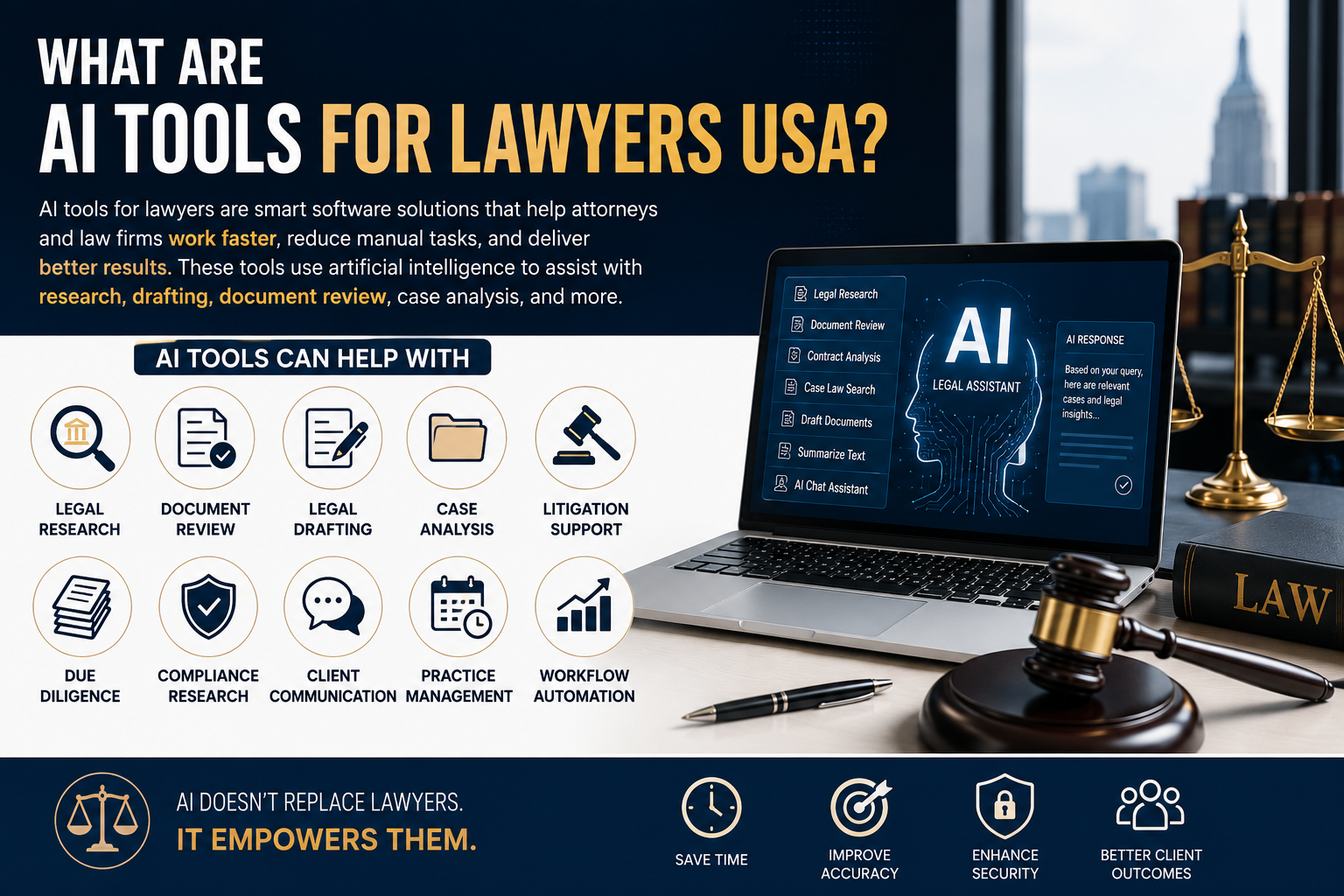
What Are AI Tools for Lawyers USA?
AI tools for lawyers are software platforms designed to assist attorneys, paralegals, legal departments, and law firms with tasks that traditionally require significant amounts of human time. see Best AI Tools for Insurance Agents USA in 2026
These tools can support:
- Legal research
- Case-law analysis
- Contract review
- Legal document drafting
- Discovery review
- Deposition preparation
- Document summarization
- Due diligence
- Litigation preparation
- Compliance research
- Client communication
- Practice management
- Case organization
The most important difference between general AI and legal AI is legal grounding.
A general AI assistant may be useful for brainstorming or writing. A specialized legal AI platform may connect its answers to legal databases, citations, case files, statutes, or other authoritative sources.
For example, Thomson Reuters says its CoCounsel products combine AI with Westlaw and Practical Law content, while Clio’s legal AI products can work with matter information and cite sources.
This distinction is important when an attorney is researching an actual legal issue rather than simply creating a first draft.
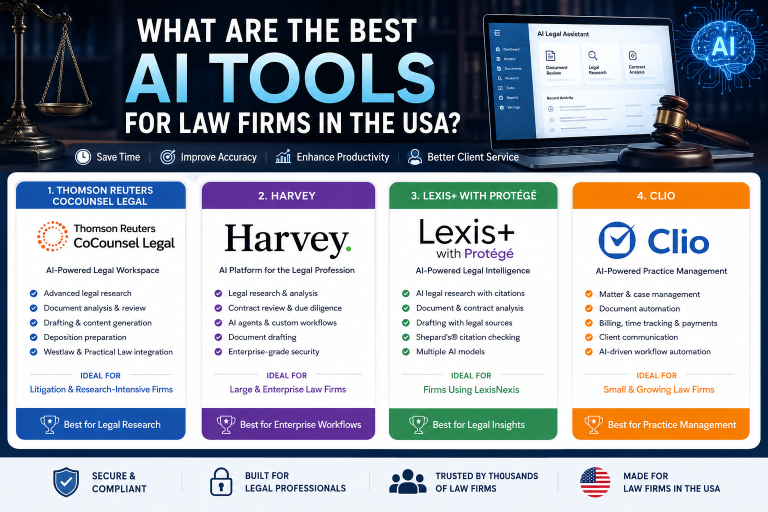
Best AI Tools for Lawyers in the USA
There is no single AI tool that is perfect for every American law firm. The right choice depends on practice area, firm size, budget, and the type of legal work being automated.
1. CoCounsel — Best for Legal Research and Document Work
CoCounsel from Thomson Reuters is designed specifically for legal professionals.
Its capabilities include:
- Legal research
- Document analysis
- Drafting
- Document comparison
- Contract review
- Deposition preparation
- Knowledge search
- Timeline creation
- Agentic workflows
CoCounsel can be particularly useful for litigation teams and firms already using Westlaw or Practical Law.
Thomson Reuters describes CoCounsel Legal as a single AI solution combining research, drafting, and document analysis. Its current platform also includes agentic workflows and Deep Research.
Real-world example:
A litigation attorney receives thousands of discovery documents. Instead of manually reading every document from the beginning, the attorney can use AI-assisted document analysis to identify important information, organize evidence, and create a preliminary timeline. The attorney still reviews the results before using them in legal work.
Best for: Mid-size and large law firms, litigation teams, and legal departments.
2. Clio Duo and Clio Work — Best for Practice Management
Real-world example:
A solo attorney handling personal injury cases could use a legal AI workflow to organize information from medical records, case documents, and client materials before preparing a case summary.
Best for: Solo attorneys and small-to-medium U.S. firms.
3. Lexis+ with Protégé — Best for Legal Research
LexisNexis remains a major name in legal research, and its AI platform now includes Protégé.
The platform is designed to help with:
- Legal research
- Document analysis
- Citation discovery
- Argument identification
- Legal drafting
- Matter-based workflows
LexisNexis describes Protégé as combining legal AI with LexisNexis content while also providing broader AI capabilities for tasks such as drafting and strategic thinking.
Real-world example:
A corporate attorney researching an unfamiliar state-law issue can use legal AI to identify relevant authorities and potential arguments, then independently verify the controlling law before relying on it.
Best for: Attorneys who already depend heavily on LexisNexis research.
4. Harvey — Best for Large Law Firms
Harvey is focused heavily on professional legal and corporate workflows.
It can assist with:
- Legal research
- Contract analysis
- Due diligence
- Document drafting
- Litigation work
- Corporate legal workflows
- Complex legal analysis
Harvey is particularly relevant to larger firms and sophisticated legal departments that need customized AI workflows.
Real-world example:
During an M&A transaction, a legal team may have hundreds of contracts requiring review. AI can help identify important clauses, unusual provisions, missing terms, and potential risks for attorneys to investigate.
Best for: Large law firms and corporate legal teams.
AI Legal Software Features Comparison
| AI Tool | Legal Research | Document Analysis | Drafting | Case Workflows | Best For |
|---|---|---|---|---|---|
| CoCounsel | Excellent | Excellent | Excellent | Excellent | Litigation & firms |
| Clio AI | Good | Excellent | Good | Excellent | Solo & small firms |
| Lexis+ with Protégé | Excellent | Excellent | Excellent | Excellent | Legal research |
| Harvey | Excellent | Excellent | Excellent | Excellent | Large firms |
| General AI assistants | Good | Good | Excellent | Limited | General productivity |
A specialized legal AI tool generally provides stronger legal context than a general-purpose chatbot. However, general AI can still be useful for non-confidential brainstorming, formatting, writing assistance, and administrative tasks.
Key Benefits of AI Legal Tools for U.S. Attorneys
Faster Legal Research
AI can help attorneys locate relevant legal information more efficiently.
Instead of starting with dozens of search queries, a lawyer can describe the legal issue and ask the system to identify relevant authorities or research directions.
The attorney should still verify the original source.
Better Document Review
Lawyers frequently work with lengthy:
- Contracts
- Discovery documents
- Depositions
- Medical records
- Corporate documents
- Emails
- Court filings
AI can summarize and organize these materials, helping lawyers focus their attention on important details.
Faster Legal Drafting
AI can create an initial draft of:
- Letters
- Contracts
- Motions
- Summaries
- Research memoranda
- Client communications
The lawyer remains responsible for reviewing, editing, and approving the final document.
Improved Law Firm Productivity
AI can reduce repetitive work and allow attorneys to spend more time on:
- Client strategy
- Negotiation
- Court preparation
- Business development
- Client communication
- Complex legal analysis
Pros and Cons of AI Tools for Lawyers USA
Pros
- Saves time on repetitive legal tasks
- Speeds up document review
- Supports legal research
- Helps organize large amounts of information
- Improves drafting productivity
- Can support smaller firms with limited staff
- Helps legal teams manage complex workflows
- Can reduce administrative workload
Cons
- AI can produce incorrect information
- Legal citations must be verified
- Confidential information requires careful handling
- Premium legal AI can be expensive
- Staff require training
- AI does not replace attorney judgment
- State-specific ethics requirements may vary
- Overreliance can create professional risks
The ABA has specifically warned that lawyers must understand AI capabilities and limitations and review AI-generated work.
AI Legal Software Performance Comparison
| Tool | Research | Drafting | Document Review | Ease of Use | Overall |
|---|---|---|---|---|---|
| CoCounsel | 9.5/10 | 9/10 | 9.5/10 | 8.5/10 | 9.3/10 |
| Clio AI | 8/10 | 8.5/10 | 9/10 | 9.5/10 | 8.8/10 |
| Lexis+ with Protégé | 9.8/10 | 9/10 | 9.3/10 | 8.5/10 | 9.4/10 |
| Harvey | 9.5/10 | 9.5/10 | 9.5/10 | 8/10 | 9.2/10 |
| General AI | 7/10 | 9/10 | 7.5/10 | 9.5/10 | 8.3/10 |
Important: These scores are editorial comparisons, not independent benchmark results. Actual performance can vary according to the practice area, matter type, documents, integrations, and subscription level.
AI Tools for Lawyers USA Pricing Comparison
Pricing in legal AI varies considerably. Enterprise legal platforms often require a customized quote.
| Tool | Pricing Approach | Suitable For |
|---|---|---|
| Clio | Starts around $49/user/month for Clio Manage plans | Solo & small firms |
| CoCounsel Essentials | Customized online pricing | Legal professionals |
| CoCounsel Legal | Customized pricing | Firms & legal departments |
| Lexis+ with Protégé | Custom quote | Research-heavy practices |
| Harvey | Enterprise/custom | Large organizations |
Clio currently lists plans starting at $49 per user per month, although AI functionality and higher-level features can depend on the selected plan or add-ons.
Thomson Reuters currently provides customized pricing for its CoCounsel products based on factors such as organization type, number of attorneys, jurisdiction, and subscription duration.
LexisNexis similarly directs organizations toward customized pricing for Lexis+ with Protégé.
Pricing changes frequently, so U.S. law firms should confirm the current price directly with the provider before purchasing.
How Lawyers Should Use AI Safely
AI should be treated as an assistant, not an attorney.
Before adopting a legal AI platform, a law firm should create a clear internal policy.
Check Confidentiality
Do not paste confidential client information into a tool without understanding how the platform handles, stores, and protects that information.
Verify Every Important Citation
AI-generated citations should be checked against the original source.
A confident-looking answer is not automatically a correct answer.
Review Court Filings Carefully
Never submit AI-generated legal arguments, facts, or citations without attorney review.
The ABA’s guidance emphasizes the lawyer’s responsibility for competence, confidentiality, and candor toward the tribunal when using generative AI.
Train Your Legal Team
Lawyers and staff should understand:
- What the AI tool can do
- What it cannot do
- How confidential information is handled
- How to verify citations
- When human review is mandatory
- How AI use should be documented
For additional guidance, U.S. lawyers can review the ABA’s Formal Opinion 512 on generative AI.
FAQs About AI Tools for Lawyers USA
1. What are the best AI tools for lawyers in the USA?
The best option depends on the firm’s needs. CoCounsel is strong for legal research and document work, Clio is attractive for practice management and smaller firms, Lexis+ with Protégé is strong for legal research, and Harvey is designed for sophisticated legal workflows.
2. Can lawyers use ChatGPT for legal work?
Lawyers can use general AI tools for appropriate tasks, but they should understand the tool’s privacy, security, accuracy, and data-handling characteristics. Confidential client information should not be entered casually.
For legal matters, specialized platforms with legal databases and citation systems may be more appropriate.
3. Can AI replace lawyers in the USA?
AI is unlikely to replace the professional responsibility and judgment of attorneys. It can automate parts of legal work, but lawyers remain responsible for reviewing work, advising clients, protecting confidential information, and complying with professional obligations.
4. Is legal AI accurate?
Legal AI can be highly useful, but it is not guaranteed to be accurate. AI can produce incorrect facts, legal conclusions, or citations. Lawyers should verify important information against authoritative sources.
5. How much do AI tools for lawyers cost?
Pricing ranges from relatively affordable practice-management plans to customized enterprise subscriptions costing significantly more. Clio, for example, lists plans starting at $49 per user per month, while major legal research platforms such as CoCounsel and Lexis+ with Protégé use customized pricing for many offerings.
Conclusion: Which AI Tool Is Best for U.S. Lawyers?
The best AI tool for lawyers in the USA depends on the type of legal work being performed.
The real winner is not the tool that generates the most impressive answer. It is the platform that saves meaningful attorney time while maintaining accuracy, security, source verification, and professional responsibility.
AI is becoming an important part of U.S. legal technology. The smartest law firms will not simply automate everything. They will use AI for repetitive and research-heavy tasks while keeping experienced lawyers firmly in control of judgment, strategy, ethics, and final decisions.