AI tools for productivity are changing how U.S. professionals plan work, write documents, manage projects, research ideas, and handle repetitive tasks. A small business owner might use ChatGPT to draft a customer proposal, Notion AI to organize project information, Motion to schedule tasks, and Grammarly to polish the final message. A marketing team can use the same approach to move from research to campaign execution faster AI Tools for Digital Marketing Agencies USA
What Are AI Tools for Productivity?
AI tools for productivity are software applications that use artificial intelligence to help users complete work faster or with less manual effort. Common functions include:
- Writing and rewriting emails, reports, and marketing copy
- Summarizing meetings, documents, and long conversations
- Creating task lists and project plans
- Scheduling work around deadlines and priorities
- Searching company knowledge and connected apps
- Automating repetitive workflows
- Improving grammar, tone, and clarity
- Generating ideas, outlines, and research briefs


Best AI Productivity Tools 2026: Features Comparison
| AI tool | Best for | Key AI features | Ideal user |
|---|---|---|---|
| ChatGPT | Research and general work | Reasoning, writing, file analysis, research, image generation | Professionals, founders |
| Notion AI | Knowledge and workspace management | AI search, agents, meeting notes, research | Teams and project managers |
| ClickUp Brain | Project productivity | AI writing, summaries, agents, prioritization | Project teams |
| Motion | Scheduling and task planning | AI planning, calendar, meetings, task scheduling | Busy professionals |
| Grammarly | Business communication | Rewriting, tone, grammar, AI generation | Writers and teams |
ChatGPT — Best Overall AI Productivity Assistant
ChatGPT is a strong all-purpose choice for professionals who need one AI assistant for research, writing, brainstorming, analysis, and file-based work. OpenAI lists features such as advanced reasoning, file uploads and analysis, image generation, voice conversations, and Deep Research for eligible users. ChatGPT Plus is currently $20 per month.
Real-world example
A U.S. consultant can upload a client brief, ask for a one-page executive summary, create a meeting agenda, identify unanswered questions, and turn the findings into a presentation outline.
Pros
- Excellent general-purpose assistant
- Useful for research, writing, planning, and analysis
- Supports files and multiple work formats
- Easy to use for solo professionals
Cons
- Output still needs human review
- Usage limits can apply
- Not a complete project-management system
Best for: Professionals who want the broadest AI productivity toolkit.
Notion AI — Best AI Workspace for Knowledge Management
Notion AI combines notes, databases, documents, projects, and AI assistance in one workspace. Its AI features can generate and edit documents, answer questions from workspace information, search connected tools, create meeting notes, and support multi-step work through Notion Agent. Notion currently lists Business at $20 per member per month and Plus at $10, while AI is included with Business and Enterprise plans; Free and Plus users receive limited trial AI usage Semrush — Best AI SEO and Search Visibility Platform
Real-world example
A 20-person startup can keep product requirements, meeting notes, hiring documentation, launch plans, and team wikis in Notion. A manager can ask AI to find decisions from previous meetings and turn them into current action items.
Pros
- Strong knowledge organization
- Excellent databases and documentation
- AI works inside the workspace
- Useful for collaborative teams
Cons
- Advanced AI requires a higher plan
- Large workspaces can become complex
- Best results depend on organized company data
Best for: Teams that need an AI-powered company knowledge hub.
ClickUp Brain — Best AI Project Management Tool
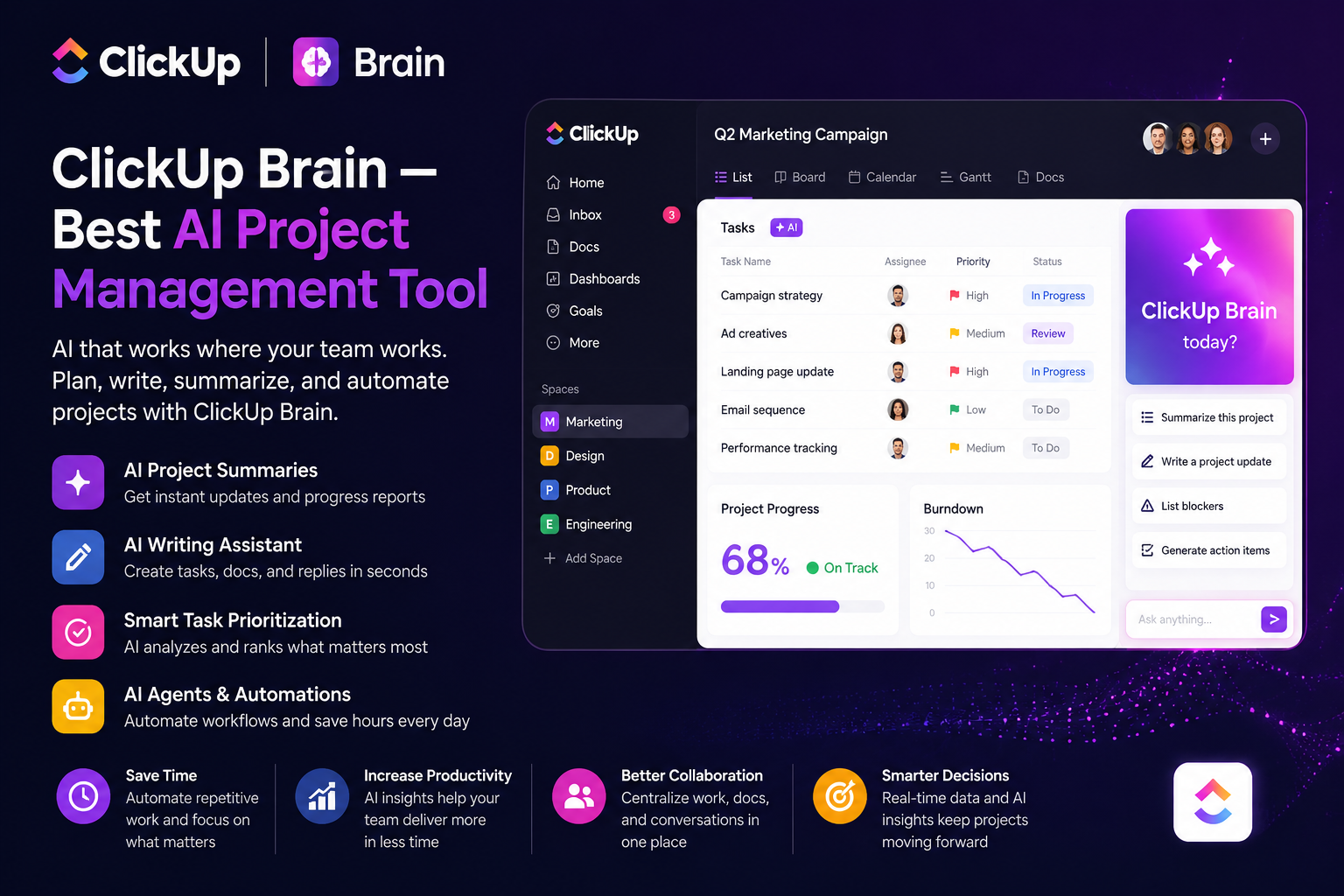
ClickUp combines tasks, projects, documents, dashboards, and AI features. Additionally, ClickUp Brain supports AI writing, project summaries, research, prioritization, agents, time blocking, and other workflow functions. ClickUp’s current AI pricing page lists Brain AI at $9 per user per month and Everything AI at $28 per user per month, with plan and availability details subject to change.
Real-world example
A U.S. digital agency can manage client campaigns in ClickUp, summarize project updates, prioritize overdue tasks, generate status reports, and use AI to turn meeting notes into action items.
Pros
- Strong project-management capabilities
- AI is closely connected to tasks
- Useful for agencies and growing teams
- Many automation options
Cons
- Feature-rich interface can feel overwhelming
- Pricing structures are evolving
- Teams may need setup time
Best for: Project-driven teams managing many deadlines and deliverables.
Motion — Best AI Calendar and Task Planner
Motion is built around automatically planning work on a calendar. Its current Pro AI plan is listed at $19 per seat per month, while Business AI is $29 per seat per month. Features include AI task planning, projects, calendars, meetings, documents, integrations, and task-focused AI workflows.
Real-world example
A U.S. sales manager with six client calls and several proposals can add deadlines and priorities to Motion. The system can organize tasks around calendar commitments so deep-work blocks are easier to protect.
Pros
- Strong automatic scheduling
- Combines tasks and calendar
- Useful for deadline-heavy work
- Helpful for individual professionals
Cons
- Subscription cost is higher than many basic task apps
- Less suitable if a team already has a mature calendar workflow
- AI planning may require adjustment to personal preferences
Best for: Executives, consultants, sales professionals, and people with overloaded calendars.
Grammarly focuses on clear, professional communication across apps and websites. Its current Free plan includes grammar support, tone feedback, and 100 AI prompts. Pro is listed at $12 per member per month when billed annually or $30 monthly. Features include sentence rewrites, tone adjustment, brand-focused writing, and expanded AI generation.
Real-world example
A U.S. HR manager can draft an employee announcement, use Grammarly to adjust the tone, remove unclear wording, and make the final message more professional before sending it.
Pros
- Excellent writing assistance
- Works across many apps and websites
- Strong tone and rewriting tools
- Useful for business communication
Cons
- Not a full project-management platform
- Advanced features require Pro
- AI suggestions still need judgment
Best for: Anyone who writes emails, proposals, reports, or customer-facing content.
AI Productivity Performance Comparison
| Tool | Writing | Research | Task management | Scheduling | Team knowledge | Ease of use |
|---|---|---|---|---|---|---|
| ChatGPT | 5/5 | 5/5 | 4/5 | 3/5 | 4/5 | 5/5 |
| Notion AI | 4/5 | 4/5 | 5/5 | 3/5 | 5/5 | 4/5 |
| ClickUp Brain | 4/5 | 4/5 | 5/5 | 4/5 | 4/5 | 3/5 |
| Motion | 4/5 | 3/5 | 5/5 | 5/5 | 3/5 | 4/5 |
| Grammarly | 5/5 | 2/5 | 2/5 | 1/5 | 3/5 | 5/5 |
AI Productivity Pricing Comparison 2026
| Tool | Starting/free option | Paid plan reference | Best value for |
|---|---|---|---|
| ChatGPT | Free | Plus: $20/month | General AI work |
| Notion | Free | Plus: $10/member/month | Small teams |
| ClickUp | Free | Brain AI: $9/user/month | AI project workflows |
| Motion | Trial | Pro AI: $19/seat/month | Scheduling |
| Grammarly | Free | Pro: $12/member/month annually | Writing |
How to Choose the Best AI Productivity Tool
- Need research, brainstorming, and analysis? Choose ChatGPT.
- Need a centralized workspace? Choose Notion AI.
- Need task and project control? Choose ClickUp Brain.
- Need automatic scheduling? Choose Motion.
- Need better emails and documents? Choose Grammarly.
- Need several capabilities? Use a small stack instead of forcing one tool to do everything.
Avoid buying five AI subscriptions before defining the problem. Start with one workflow, measure time saved, and expand only when the improvement is clear.
FAQs About AI Tools for Productivity
1. What is the best AI tool for productivity in 2026?
ChatGPT is the best overall choice for many professionals because it covers research, writing, planning, analysis, files, and other tasks in one assistant. Specialized tools can win for scheduling, project management, or business writing.
2. Are AI productivity tools worth paying for?
They can be worth paying for when they remove repetitive work or help you complete valuable tasks faster. A freelancer who saves several hours each month may quickly justify a subscription.
3. What is the best free AI productivity tool?
ChatGPT, Notion, ClickUp, and Grammarly all provide free entry options, although features and AI usage vary.
4. Can AI productivity tools replace employees?
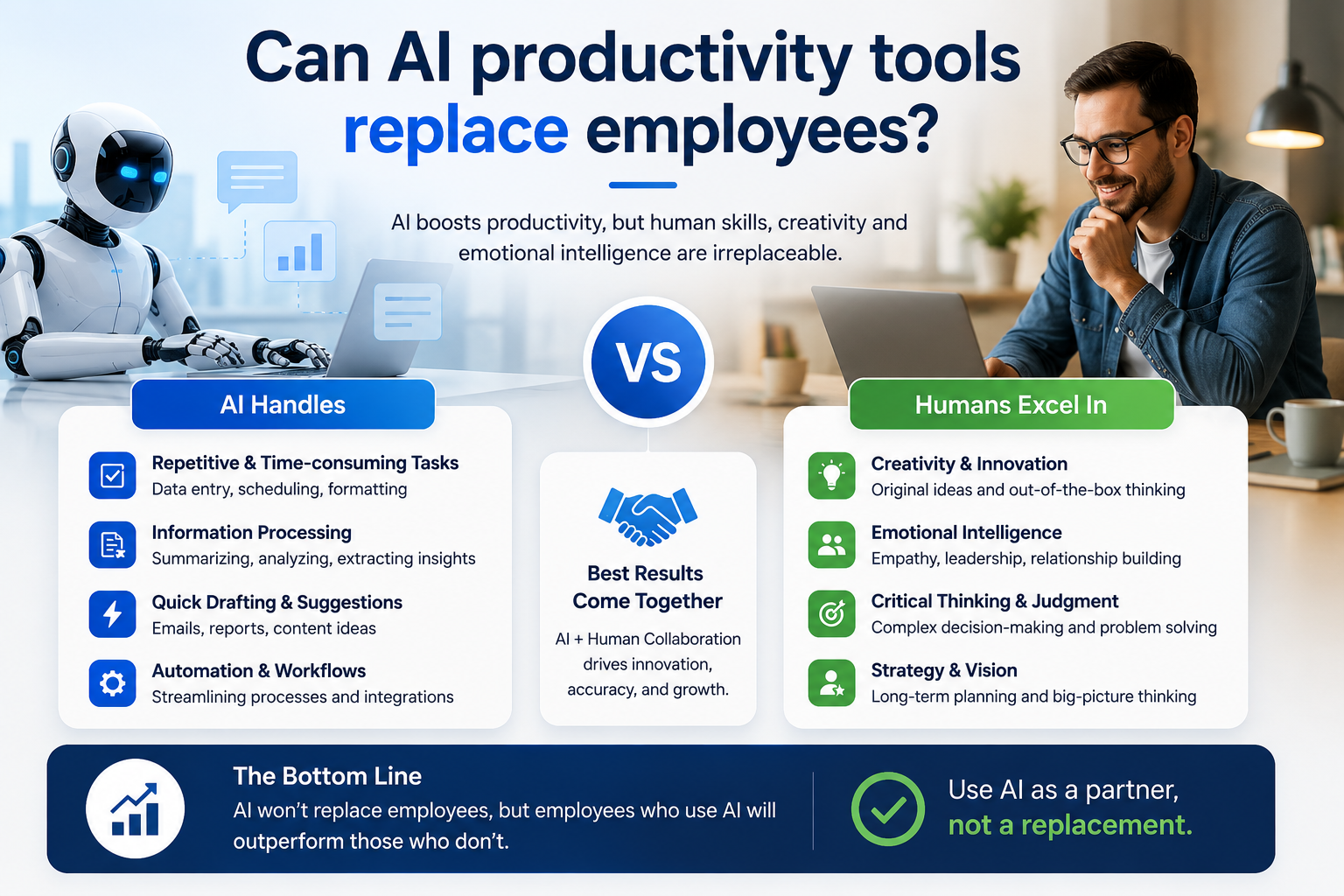
They are better viewed as productivity assistants. Humans remain responsible for decisions, accuracy, customer relationships, and sensitive business judgment.
5. Which AI productivity tool is best for small businesses?
ClickUp Brain is a strong choice for task-heavy teams, Notion AI works well for knowledge-driven organizations, and ChatGPT is useful when employees need flexible assistance across many types of work surfer — Best AI SEO Content Optimization Tool
Conclusion: Which AI Productivity Tool Wins?
The best AI tools for productivity in 2026 are not identical, and the winner depends on the job. ChatGPT is the best overall AI productivity assistant because it offers many useful capabilities for professionals. Notion AI handles organized team knowledge. ClickUp Brain wins for project execution. Motion is the standout for calendar-driven professionals. Grammarly remains the practical choice for polished communication.
For a professional, start with ChatGPT. Add Grammarly if writing quality is a major bottleneck. Choose Notion AI or ClickUp Brain when your work requires a shared team system. Choose Motion when your calendar is the main source of lost productivity.
For internal SEO, link this article to related pages such as your AI writing tools guide, AI automation guide, project-management software comparison, and productivity apps roundup. For outbound links, use official product and pricing pages from OpenAI, Notion, ClickUp, Motion, and Grammarly rather than low-authority affiliate sources.