
Canva vs. Adobe Express Comparison: USA helps small business owners, bloggers, marketers, and content creators choose the right graphic design tool. Both platforms make it easier to create social media graphics, presentations, advertisements, videos, and other visual content without advanced design skills. The main difference is how each tool supports your workflow. Canva focuses on an extensive template-based design experience, while Adobe Express combines quick content creation with Adobe’s creative ecosystem. Your best choice depends on your budget, design requirements, brand needs, and the type of content you publish. Stock Media Alternatives USA: 7 Best Picks for 2026
What Is Canva vs Adobe Express?
What Is Canva?
Canva is an online graphic design platform for creating digital and print content. Beginners can use ready-made templates, drag-and-drop editing, and built-in design assets to produce professional-looking graphics.
Canva is useful for:
- Social media posts and advertisements.
- YouTube thumbnails and blog featured images.
- Business presentations and reports.
- Posters, flyers, and marketing materials.
- Brand kits and reusable design templates.
For example, a US-based fitness coach can create Instagram posts, promotional flyers, and workout guides without hiring a full-time designer.
Visit the official Canva website to explore its design tools.
What Is Adobe Express?
Adobe Express is an online content creation tool from Adobe. It helps users create graphics, videos, flyers, social media content, and documents through templates and straightforward editing tools.
Adobe Express is useful for:
- Marketing graphics and social media campaigns.
- Short videos and promotional content.
- Quick image edits and background removal.
- PDF-related tasks and document creation.
- Projects that benefit from Adobe’s creative applications.
For example, a small US marketing agency can prepare branded promotional graphics and short video advertisements while using other Adobe applications in its creative workflow.
Explore the official Adobe Express website.
Canva vs Adobe Express: Key Features Comparison
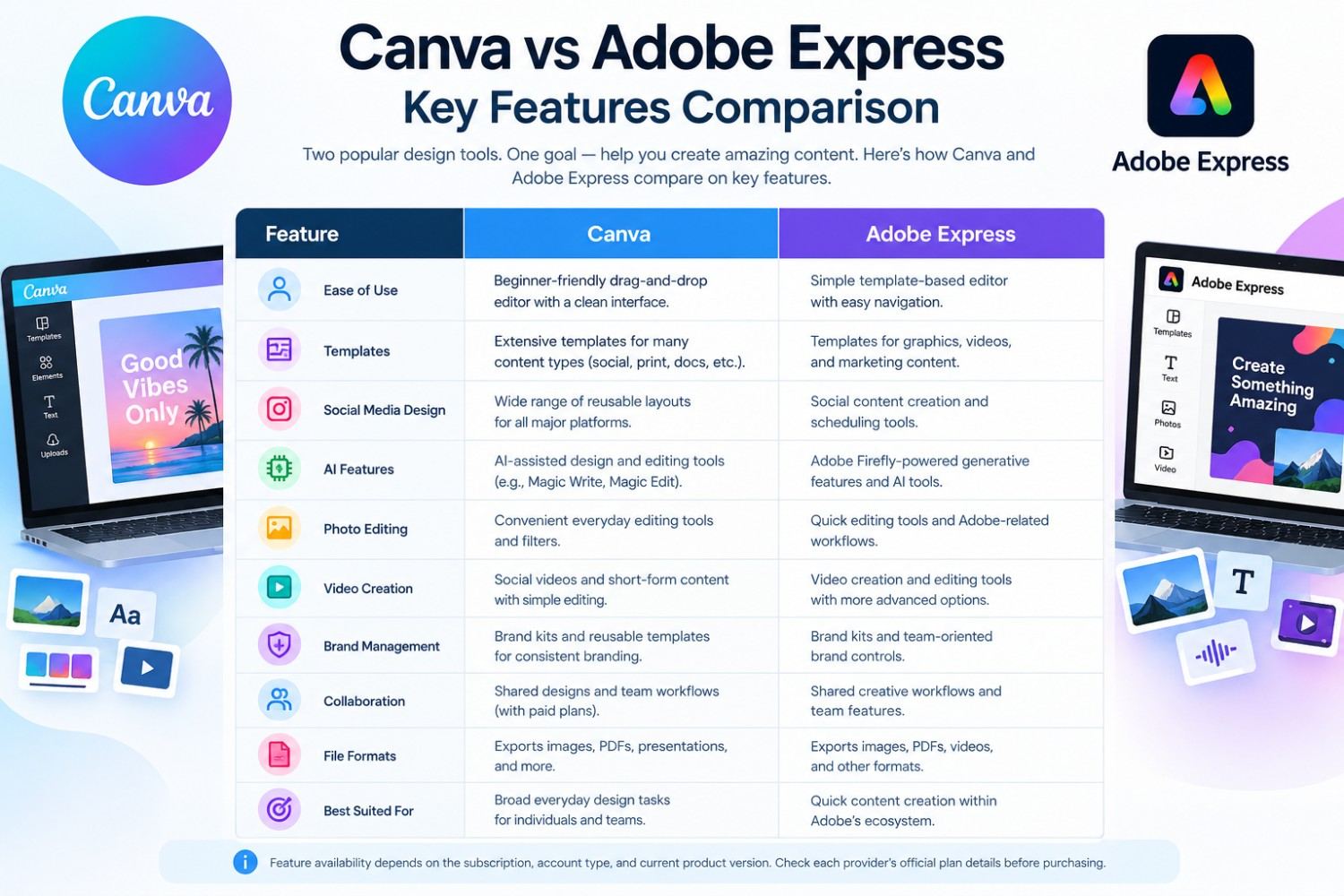
Canva and Adobe Express both provide accessible design tools, but their features and workflows are not identical.
| Feature | Canva | Adobe Express |
|---|---|---|
| Ease of use | Beginner-friendly drag-and-drop editor | Beginner-friendly template-based editor |
| Templates | Extensive templates for many content types | Templates for graphics, videos, and marketing |
| Social media design | Strong range of reusable layouts | Social content creation and scheduling |
| AI features | AI-assisted design and editing tools | Adobe Firefly-powered generative features |
| Photo editing | Convenient everyday editing | Quick editing and Adobe-related workflows |
| Video creation | Social videos and short-form content | Video creation and editing tools |
| Brand management | Brand kits and reusable templates | Brand kits and team-oriented controls |
| Collaboration | Shared designs and team workflows | Shared creative workflows and team features |
| File formats | Common image, PDF, and presentation exports | Common image, PDF, and video-related exports |
| Best suited for | Broad everyday design tasks | Quick content creation within Adobe’s ecosystem |
Feature availability depends on the subscription, account type, and current product version. Check each provider’s official plan details before purchasing.
Canva Features for Content Creators
Canva is a practical option for people who create different types of content regularly. Its template-based workflow can help users maintain consistent layouts across multiple platforms.
Important benefits include:
- Ready-made templates: Start with a layout instead of designing from scratch.
- Brand consistency: Reuse colors, fonts, logos, and other brand elements.
- AI-assisted creation: Use available AI tools to support design and editing tasks.
- Multiple content types: Create presentations, graphics, documents, and marketing materials.
- Team collaboration: Share projects and work with colleagues when supported by your plan.
A blogger running an AI tools website can use Canva to prepare featured images, comparison graphics, Pinterest pins, and social media posts using consistent branding Best AI Tools for Small Business USA in 2026
Adobe Express Features for Marketing Teams
Adobe Express is designed to simplify everyday creative work while offering connections to Adobe’s broader creative environment.
Its notable capabilities include:
- Adobe Stock assets: Access stock content according to your plan and licensing terms.
- Quick editing tools: Make common image, video, and document changes.
- Generative AI: Use supported Adobe Firefly features within the available credit limits.
- Brand controls: Help teams keep marketing content consistent.
- Content scheduling: Plan and schedule supported social media posts.
A small ecommerce business can use Adobe Express to create product promotions, resize campaign graphics, and prepare short videos for social media.
Canva vs Adobe Express: Pros and Cons
Canva Pros and Cons
Pros
- Simple interface for beginners.
- Wide selection of templates and design categories.
- Suitable for blogs, presentations, and social media.
- Useful brand and collaboration features.
- Free plan available.
Cons
- Some assets and advanced features require payment.
- Large projects may need organized folders and workflows.
- Advanced professional editing may require a specialized application.
- AI usage and feature access can depend on the plan.
Adobe Express Pros and Cons
Pros
- Straightforward graphic and video creation.
- Access to Adobe Stock assets under applicable plans.
- AI features powered by Adobe Firefly.
- Useful connections to Adobe’s creative tools.
- Free plan available.
Cons
- Some premium assets and editing tools require a subscription.
- Advanced features may be unnecessary for basic users.
- Users unfamiliar with Adobe products may need time to explore the workflow.
- Generative AI credits and plan benefits have limits.
Canva vs Adobe Express: Performance Comparison
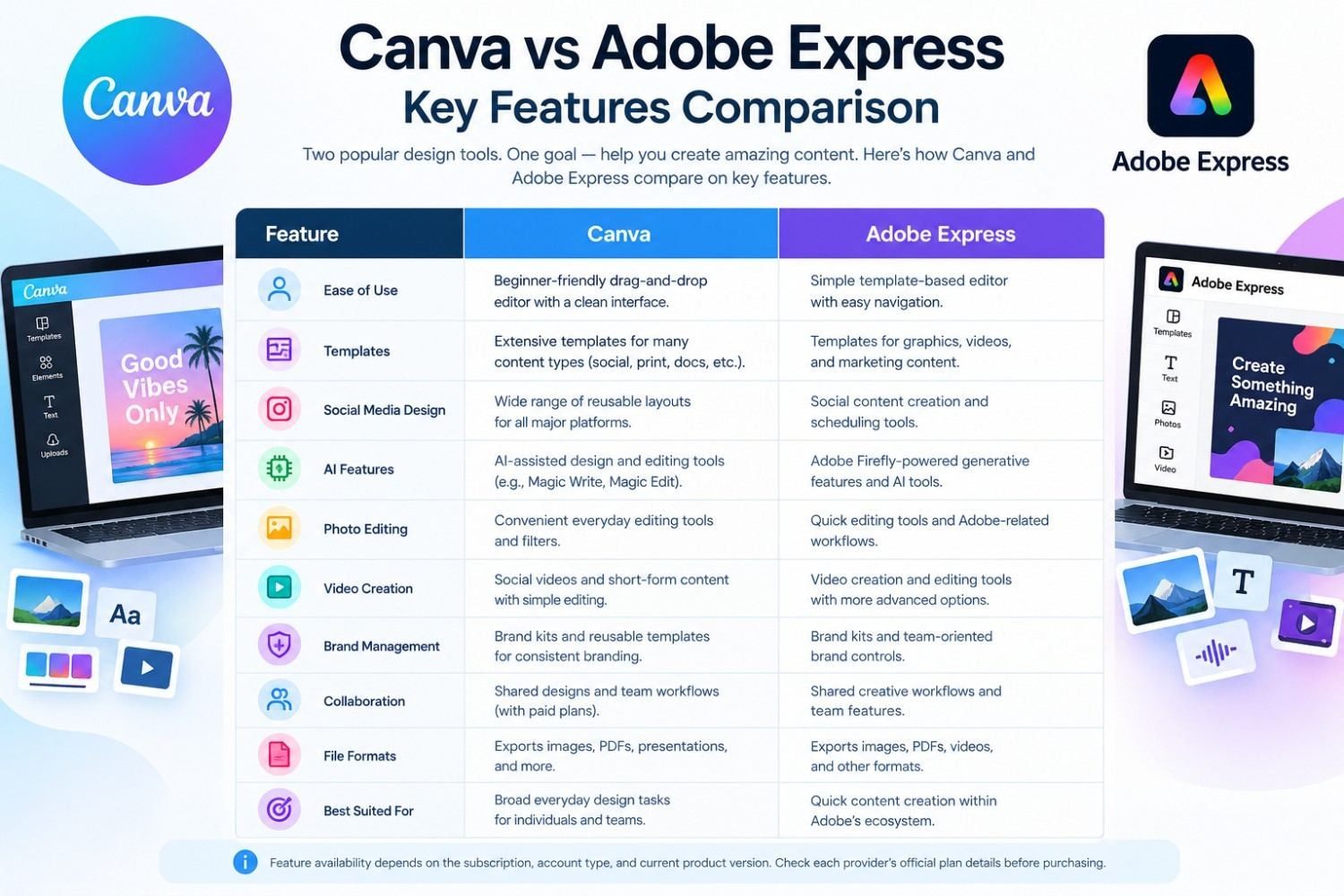
The best-performing design tool is the one that helps you complete your actual work efficiently. Results depend on the project, internet connection, device, experience, and selected features.
| Performance factor | Canva | Adobe Express |
|---|---|---|
| Creating a social post | Convenient template-based workflow | Convenient template-based workflow |
| Designing blog graphics | Well suited to repeated content creation | Well suited to quick marketing graphics |
| Building presentations | Useful presentation templates and editing | Useful presentation and visual content tools |
| Editing short videos | Suitable for many simple video projects | Suitable for quick video and promotional content |
| Maintaining brand identity | Brand kits and reusable layouts | Brand kits and brand-oriented team features |
| Working with Adobe apps | Primarily its own design ecosystem and integrations | Advantage when Adobe integrations fit your workflow |
| Beginner experience | Easy to learn for common tasks | Easy to learn for common tasks |
| Best workflow advantage | Creating many different content formats | Creating quick content within Adobe’s ecosystem |
This is a feature-based comparison, not a controlled speed test. Actual performance varies by task and subscription.
Real-World Example: A US Small Business
Imagine a small business in Texas selling handmade products online. The owner needs product announcements, promotional banners, Instagram graphics, and weekly email visuals.
Canva can help the owner create a set of reusable templates and produce multiple types of marketing content in a consistent style.
Adobe Express can also handle these tasks, especially when the owner prefers Adobe Stock assets, Firefly features, or an existing Adobe workflow.
The practical test is simple: create the same promotional graphic in both tools. Compare the time required, available assets, editing flexibility, export quality, and total cost. That test will show which platform fits the business better.
Canva vs Adobe Express Pricing in the USA
Both tools offer free access, while paid plans unlock additional capabilities. Prices and promotions can change, so check the official pricing pages before making a purchase.
| Plan | Canva | Adobe Express |
|---|---|---|
| Free | $0 | $0 |
| Individual paid plan | Canva Pro: listed at $180/year on the official US pricing page | Premium: listed at $9.99/month |
| Business options | Canva Business and enterprise options | Teams and enterprise options |
| Premium assets | Expanded library and tools on eligible plans | Expanded Adobe Stock assets and tools on eligible plans |
| AI features | Access varies by plan and usage limits | Generative credits and features vary by plan |
Sources: Canva pricing and Adobe Express pricing.
Which Design Tool Offers Better Value?
Canva Free is worth trying if you need everyday designs and want to avoid a subscription. Canva Pro may be useful if premium assets, brand tools, and advanced features save you enough time to justify the annual cost.
Adobe Express Free is a sensible starting point for users who want basic creative tools and access to selected Adobe Stock assets. Adobe Express Premium may offer better value if its extra assets, AI credits, editing features, and scheduling tools match your needs.
Compare the features you will actually use rather than choosing a plan based only on the monthly price. Also check annual billing, renewal terms, regional availability, and trial conditions before subscribing.
Canva vs Adobe Express: Which Is Better for Different Users?
Best for Bloggers and SEO Professionals
Canva is a strong fit for bloggers who regularly create featured images, comparison tables, infographics, and social graphics. Its templates can help maintain a consistent visual identity across a growing content library Future of AI Tools 2026
If you publish articles on ToolPromptHub, you can use either platform to create branded featured images and supporting graphics. Keep image files optimized for web performance and write descriptive alt text that accurately explains each image.
Best for Small Businesses
Both platforms can support small-business marketing. Canva suits teams that want a broad design workflow, while Adobe Express suits users who prefer its editing features and Adobe connections.
Best for Social Media Managers
Both tools support social content creation. Compare their current scheduling limits, supported social networks, team permissions, and available templates before selecting a subscription.
Best for Users Who Need Adobe Integration
Adobe Express deserves serious consideration if you already use Adobe applications or rely on Adobe Stock. Canva can still be appropriate if your existing workflow is centered on Canva templates and shared projects.
Frequently Asked Questions
1. Is Canva better than Adobe Express in 2026?
Neither platform is best for everyone. Canva is a good fit for varied template-driven design work, while Adobe Express can suit users who value Adobe assets, Firefly features, and connections to Adobe applications.
2. Is Canva or Adobe Express cheaper?
Both have free plans. The paid cost depends on your selected subscription, billing period, location, and promotions. Compare the official US pricing pages before purchasing.
3. Can I use Canva and Adobe Express for commercial purposes?
Commercial use depends on the platform’s content licenses, subscription terms, and the specific assets you use. Review the relevant licensing conditions, especially for stock content, generated images, logos, and client work.
4. Which tool is better for beginners?
Both are designed to make content creation accessible. Beginners should try the free versions and compare how easily they can create and export their first real project.
5. Can Canva and Adobe Express create social media graphics?
Yes. Both tools support social media content creation. Check current template options, export settings, supported formats, and scheduling features to find the best fit for your workflow.
Conclusion:
Canva and Adobe Express are both capable choices for creators and businesses in the USA. The right option depends on the work you need to complete, not just the number of features available.
Choose Canva if you want a flexible template-driven workflow for blog graphics, presentations, social posts, and other everyday design projects.
Choose Adobe Express if Adobe Stock, Firefly-powered features, quick editing tools, or integration with Adobe applications are more important to your workflow.
For bloggers and small businesses, start with the free plans. Create the same real project in each tool, compare the results, and upgrade only when a paid feature saves enough time or improves your work.
The winner is the tool that fits your creative workflow, budget, and publishing goals