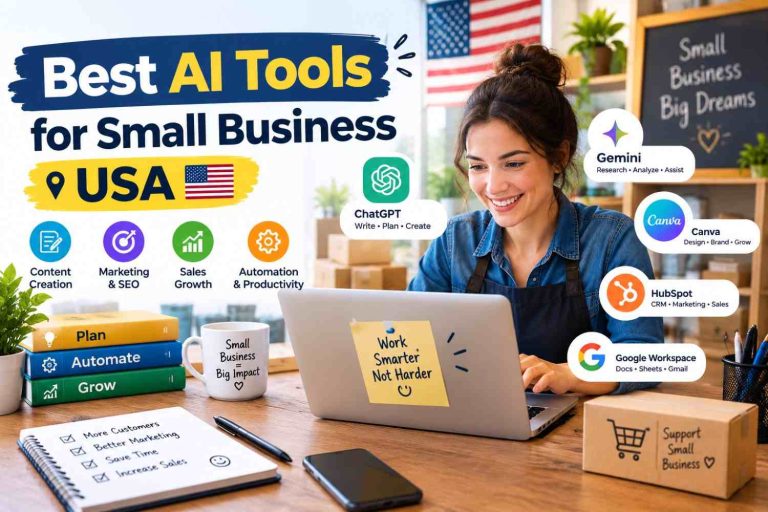
Stock media alternatives give creators, bloggers, marketers, and small businesses more ways to find affordable photos, videos, illustrations, and other digital assets. Many American businesses rely on visual content to attract customers, improve website engagement, and promote products. Premium stock subscriptions can become expensive, especially for freelancers and startups working with limited budgets.
Imagine running a small Shopify store in Texas. You need product banners, lifestyle photography, social media graphics, and short promotional videos every week. Paying for several stock subscriptions may not make financial sense when free or lower-cost resources can cover many of your needs. Marketing Automation Platforms: Best Picks for 2026
The best stock media alternatives in 2026 include Unsplash, Pexels, Pixabay, Canva, Adobe Stock, Shutterstock, and Envato Elements. Each platform offers different benefits for content creators.
Some focus on free photography and videos. Others provide premium illustrations, templates, music, and commercial creative assets. The right choice depends on your budget, content requirements, licensing needs, and publishing schedule.
What Are Stock Media Alternatives?
Stock media alternatives are websites and creative platforms that provide images, videos, illustrations, vectors, audio, templates, and other downloadable content outside a particular stock media service.
These platforms help businesses produce professional-looking content without organizing expensive photoshoots or hiring a production team for every project.
Common stock media alternatives include:
- Free stock websites: Useful for bloggers, students, and small businesses.
- Premium stock libraries: Offer paid downloads, subscriptions, and specialized collections.
- Creative design platforms: Combine stock assets with editing tools and ready-made templates.
- All-in-one creative subscriptions: Provide stock videos, photos, graphics, fonts, and other resources.
- AI-assisted creative tools: Help generate or edit visuals, subject to each tool’s terms and applicable rights.
For example, a marketing agency in California might use Pexels for social media videos, Unsplash for blog photography, and Canva for promotional graphics. A larger agency producing video advertisements may prefer a paid service with broader licensing options.
7 Best Stock Media Alternatives in 2026
1. Unsplash — Best for High-Quality Photography
Unsplash is a popular destination for modern photography, including lifestyle, business, technology, travel, and nature images.
Its free license permits many personal and commercial uses without requiring attribution. Certain restrictions still apply, including limits on selling unmodified images or using the collection to create a competing service.
Key features:
- Large collection of professional photography.
- Free downloads for many projects.
- Images suitable for blogs and website banners.
- Search filters and curated image collections.
Real-world example: A US marketing consultant writing about remote work can find photographs for blog headers, newsletters, and LinkedIn content.
Pros
- Free photography options.
- Professional-looking visual content.
- Useful for website and editorial projects.
Cons
- Primarily focused on still images.
- Some premium content requires payment.
- Not every image is appropriate for every commercial use.
Website: https://unsplash.com/
2. Pexels — Best Free Stock Photos and Videos
Pexels provides free stock photography and video footage for personal and commercial projects under its license.
It is particularly useful for creators producing YouTube videos, social media posts, website content, and digital advertisements.
Key features:
- Free photos and video clips.
- Searchable creative collections.
- Portrait, landscape, and business visuals.
- Downloads suitable for multiple content formats.
Real-world example: A fitness coach in Florida can find workout footage for Instagram Reels, website banners, and promotional content without paying for every clip.
Pros
- Free photos and videos.
- Attribution is not generally required.
- Useful for video creators and marketers.
Cons
- Specific subjects or niche visuals may be difficult to find.
- Popular images can appear across many websites.
- License restrictions still apply.
Website: https://www.pexels.com/
3. Pixabay — Best for Multiple Media Types
Pixabay offers a broad collection of images, illustrations, vectors, videos, and other media. It is useful for creators who want different asset types from one website.
Its content license allows many free uses without attribution, subject to prohibited-use restrictions. Users should review the applicable terms before using assets in commercial products.\

Key features:
- Photos and illustrations.
- Vector graphics and video footage.
- Audio and other creative resources.
- Search tools for different content categories.
Real-world example: A small ecommerce business can source a background image for its homepage, an illustration for an email campaign, and a video clip for a social media advertisement.
Pros
- Broad selection of media types.
- Free resources for many projects.
- Convenient for independent creators.
Cons
- Asset quality and relevance vary.
- Some searches produce less distinctive results.
- Copyright, trademark, and licensing checks remain important.
Website: https://pixabay.com/
4. Canva — Best for Stock Media and Graphic Design
Canva combines a design editor with templates, photographs, illustrations, videos, and other creative resources. It is especially helpful for people who want to create finished designs rather than download individual files best stock media sites
Free and paid plans provide different features and content access. Some assets require a paid subscription or additional licensing.
Key features:
- Social media and presentation templates.
- Drag-and-drop design editor.
- Stock photographs and videos.
- Brand kits and collaborative tools on eligible plans.
Real-world example: A New York real estate agent can create property flyers, Instagram posts, listing presentations, and email graphics using a consistent visual style.
Pros
- Beginner-friendly editing tools.
- Combines assets and design in one workspace.
- Useful for small business marketing.
Cons
- Some premium content requires payment.
- Advanced creative workflows may need specialist software.
- Asset licensing depends on the content and intended use.
Website: https://www.canva.com/
5. Adobe Stock — Best for Professional Creative Projects
Adobe Stock is designed for professionals who need stock photography, illustrations, vectors, videos, and other creative assets. Its integration with Adobe applications can make it useful for designers and video editors Creative Design Tools: Best Picks for 2026
Unlike free stock websites, Adobe Stock offers paid plans and licensing options suited to professional workflows.
Key features:
- Professional photography and illustrations.
- Video footage and selected templates.
- Integration with Adobe creative applications.
- Licensing options for different projects.
Real-world example: A design agency in Chicago producing a national advertising campaign may use Adobe Stock to source consistent imagery for website designs, marketing materials, and video projects.
Pros
- Professional creative library.
- Convenient for Adobe users.
- Suitable for demanding design projects.
Cons
- Paid subscriptions or credits may be required.
- Licensing limits vary by asset and plan.
- May be unnecessary for creators who only need occasional free images.
Website: https://stock.adobe.com/
6. Shutterstock — Best for Large Commercial Media Libraries
Shutterstock provides stock photos, illustrations, videos, music, and other creative resources. It is a strong option for businesses that need a broad selection of assets for marketing and publishing.
Its subscription and licensing options vary according to the content and usage requirements.
Key features:
- Broad stock media collection.
- Photography, video, and illustrations.
- Paid download plans and licensing options.
- Resources for commercial content production.
Real-world example: A US advertising agency creating campaigns for restaurants, retailers, and technology companies can use a commercial stock library to source visuals for different industries.
Pros
- Extensive range of creative assets.
- Useful for commercial production.
- Multiple content categories.
Cons
- Ongoing costs can add up.
- Download allowances depend on the selected plan.
- Extended or specialized usage may require additional licensing.
Website: https://www.shutterstock.com/
7. Envato Elements — Best for All-in-One Creative Assets
Envato Elements offers a subscription-based collection of creative resources, including graphics, templates, stock video, music, fonts, and other design materials.
It is particularly useful for freelancers and agencies that regularly produce websites, advertisements, videos, and presentations.
Key features:
- Stock footage and creative templates.
- Graphics, fonts, and presentation assets.
- Resources for web design and video editing.
- Subscription-based access to eligible content.
Real-world example: A YouTube creator can use stock footage, background music, motion graphics, and thumbnail templates to produce a consistent video series.
Pros
- Multiple asset types under one subscription.
- Useful for frequent content production.
- Helps streamline creative workflows.
Cons
- Subscription costs continue over time.
- License conditions and project registration requirements matter.
- Less attractive for people who download only a few assets each month.
Website: https://elements.envato.com/
Stock Media Alternatives: Features Comparison Table
| Platform | Best For | Free Access | Main Assets |
|---|---|---|---|
| Unsplash | Photography | Yes | Photos |
| Pexels | Photos and video | Yes | Photos, videos |
| Pixabay | Multiple media types | Yes | Images, vectors, video, audio |
| Canva | Graphic design | Yes | Templates, photos, graphics |
| Adobe Stock | Professional projects | Limited free collection | Photos, vectors, video |
| Shutterstock | Commercial production | Limited free access, depending on offer | Photos, video, illustrations |
| Envato Elements | Creative subscriptions | Check current offers | Templates, video, music, graphics |
Feature availability and licensing can change. Check the official platform before downloading or purchasing an asset.
Pros and Cons of Stock Media Alternatives
Advantages
- Lower production costs: Free stock resources can reduce photography and video expenses.
- Faster publishing: Creators can find visuals without arranging a new photoshoot.
- More creative options: Different libraries provide distinct styles and media formats.
- Flexible workflows: Design platforms and subscriptions can combine several creative tasks.
- Useful for small businesses: Startups can produce professional-looking marketing materials with limited resources.
Disadvantages
- Repeated imagery: Other websites may use the same popular stock photos.
- Licensing restrictions: Free downloads are not automatically unrestricted.
- Variable quality: Some assets may not match a brand’s exact needs.
- Subscription expenses: Paid services can become costly for occasional users.
- Commercial risks: Recognizable people, trademarks, artwork, and property may require additional permissions.
Stock Media Alternatives: Performance Comparison
The following table provides a practical editorial assessment rather than laboratory test results.
| Platform | Ease of Use | Asset Variety | Budget Friendliness | Best Use |
|---|---|---|---|---|
| Unsplash | High | Moderate | Excellent | Blog images |
| Pexels | High | Moderate | Excellent | Social video |
| Pixabay | High | High | Excellent | Mixed media |
| Canva | High | High | Good | Marketing designs |
| Adobe Stock | High for Adobe users | High | Moderate | Professional design |
| Shutterstock | High | High | Moderate | Advertising |
| Envato Elements | High | High | Good for frequent users | Video and web projects |
Performance depends on the relevance of search results, asset quality, licensing terms, and the creator’s workflow. Budget friendliness also depends on download frequency and plan requirements.

Stock Media Alternatives: Pricing Comparison
| Platform | Pricing Approach | Best Budget Strategy |
|---|---|---|
| Unsplash | Free library; optional premium offering | Start with free photography |
| Pexels | Free photos and videos | Use free assets where suitable |
| Pixabay | Free content under its license | Search before buying elsewhere |
| Canva | Free and paid plans | Upgrade only when premium features are needed |
| Adobe Stock | Subscription and credit options | Compare monthly needs with available plans |
| Shutterstock | Paid plans and licensing options | Match the plan to expected downloads |
| Envato Elements | Subscription-based | Consider it when using multiple asset types |
Exact prices and plan benefits may change by country, billing period, and promotional offer. Visit the official websites for current US pricing before making a purchase.
FAQs
1. What are the best free stock media alternatives in 2026?
Pexels, Unsplash, and Pixabay are strong starting points for free stock media. Pexels is useful for photos and videos, Unsplash focuses on photography, and Pixabay offers several types of media.
2. Can I use free stock media for commercial purposes?
Many free stock libraries permit commercial use, but the conditions differ. Check the individual license and restrictions involving recognizable people, trademarks, resale, and sensitive content before publishing.
3. Which stock media alternative is best for YouTube videos?
Pexels is a useful starting point for free footage. Pixabay also offers video resources, while Envato Elements may suit creators who need footage, music, and templates regularly.
4. Are paid stock media platforms worth the cost?
Paid platforms can be worthwhile for businesses that need specialized imagery, consistent creative assets, or professional licensing options. Occasional users may be able to meet their needs with free libraries.
5. How can I choose the right stock media website?
Consider your budget, required file types, search quality, license restrictions, download limits, and publishing frequency. Test free resources first, then compare paid plans if your requirements exceed their capabilities.
Conclusion: Which Stock Media Alternative Wins in 2026?
The best stock media alternative depends on your creative needs and budget.
Pexels wins for many creators looking for free photos and videos. Unsplash is a strong choice for photography, Pixabay offers a broader mix of media, and Canva is convenient for designing finished marketing materials AI Software Subscriptions: Best Tools for 2026
Adobe Stock and Shutterstock are worth considering for professional projects requiring specialized commercial assets. Envato Elements can provide value to frequent creators who use multiple types of creative resources.
For most beginners and small US businesses, starting with Pexels, Unsplash, or Pixabay is a practical way to reduce expenses. Move to a paid platform when you need more specialized content, a particular license, or a more efficient professional workflow.
Compare the available assets and licensing terms before committing to a subscription. The best platform is the one that meets your actual creative requirements without stretching your budget.